Draft Saving in Forms Made Easy allows respondents to save their progress while filling out a form and return to complete it later. This feature is especially useful for long forms or forms with multiple pages, as respondents can complete them at their own pace.
Follow the steps below to enable Draft Saving for your form.
Steps to Enable Draft Saving
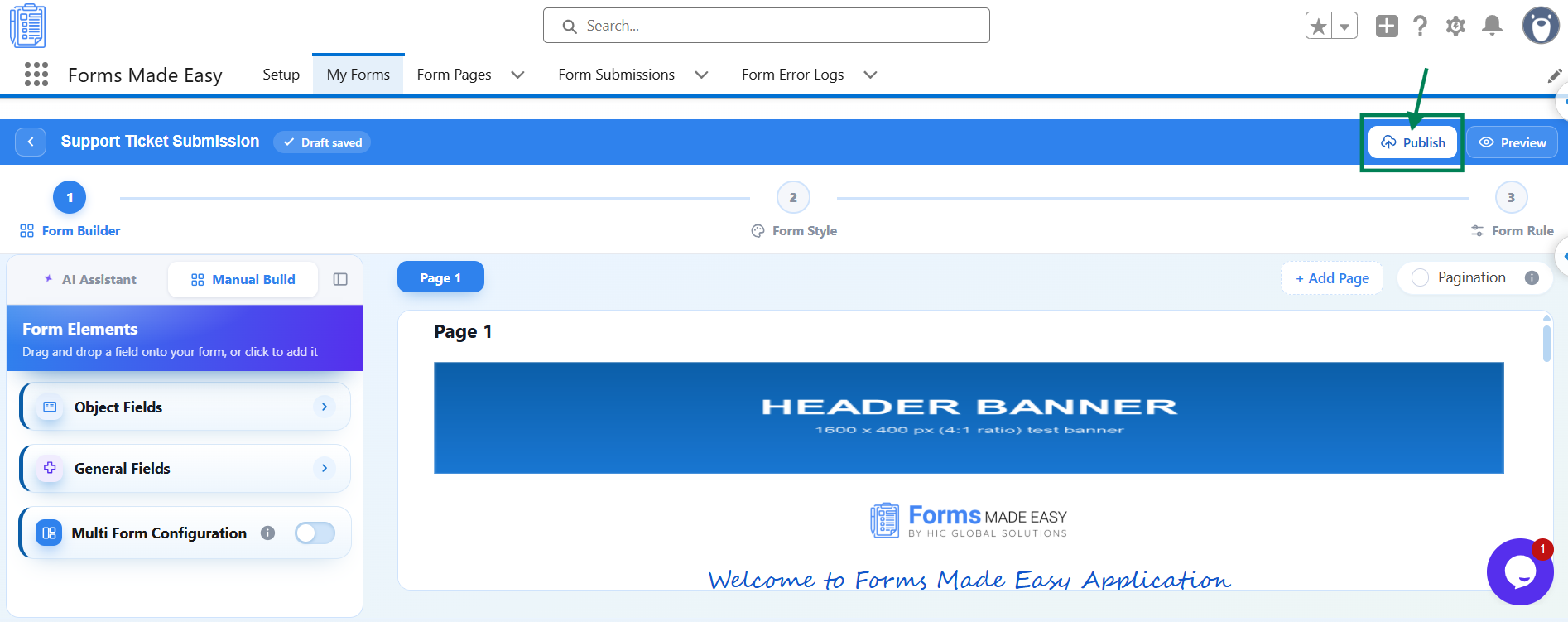
Step 1: Open your form in the Form Builder and click the Publish button (or Republish if your form is already published).
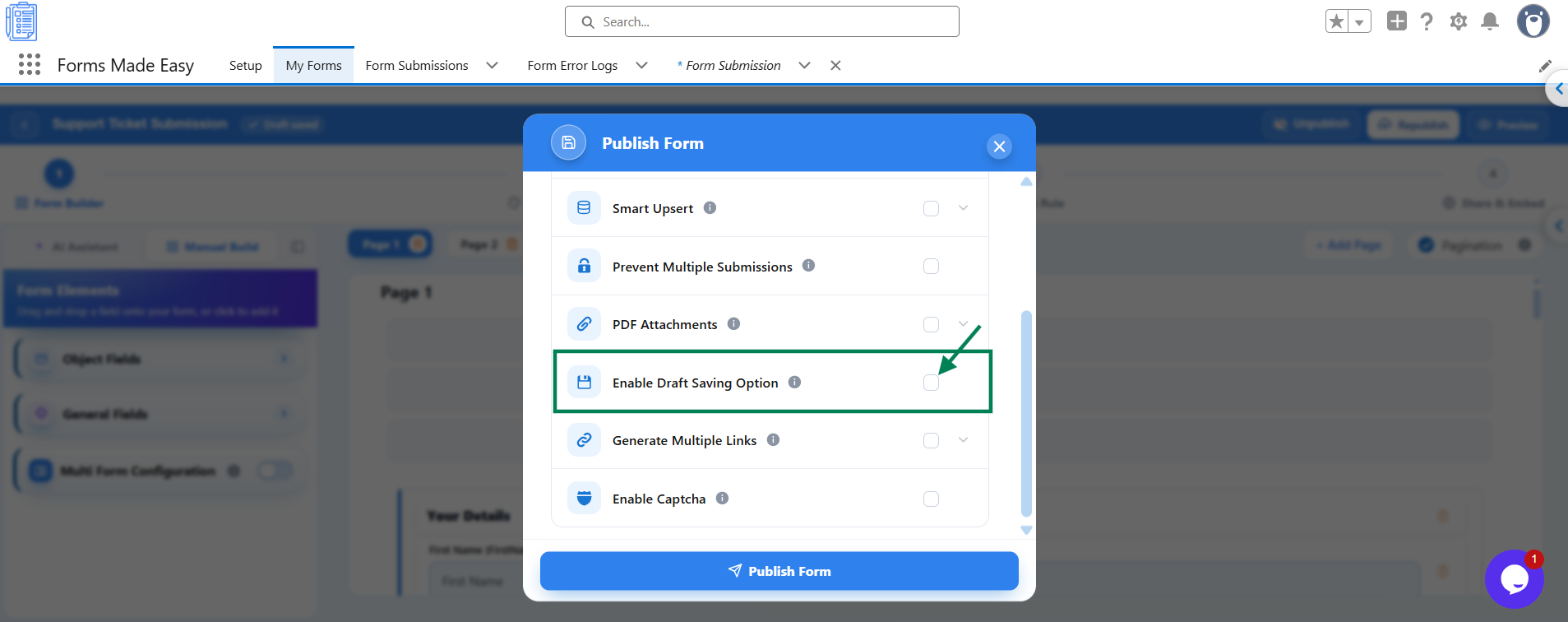
Step 2: A Publish Form window will appear with the message Ready to publish your form? Under Advanced Options, find the Enable Draft Saving Option.
Step 3: Turn on the Enable Draft Saving Option to allow respondents to save their progress while completing the form.
Step 4: Read the Draft Saving Enabled notice to understand the feature, then click Publish Form to publish your form with Draft Saving enabled.
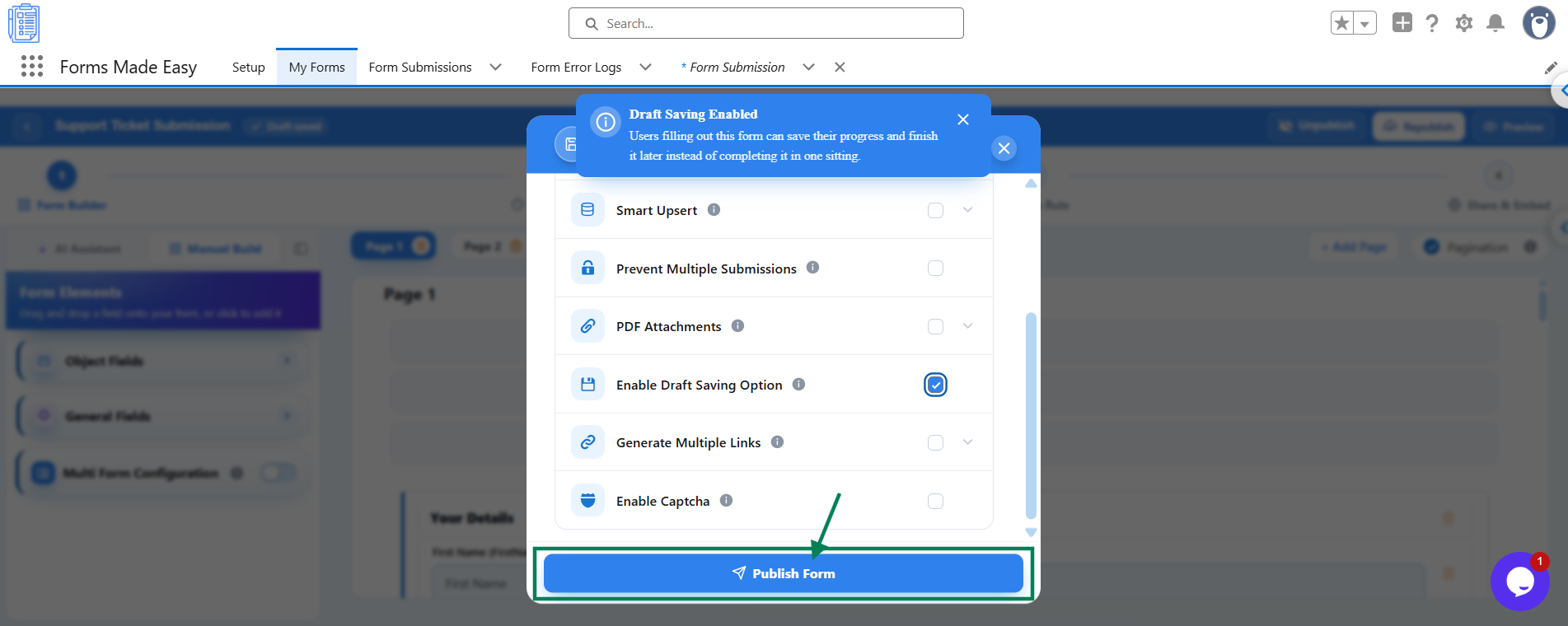
If your form is already published, republish it to apply the updated settings.
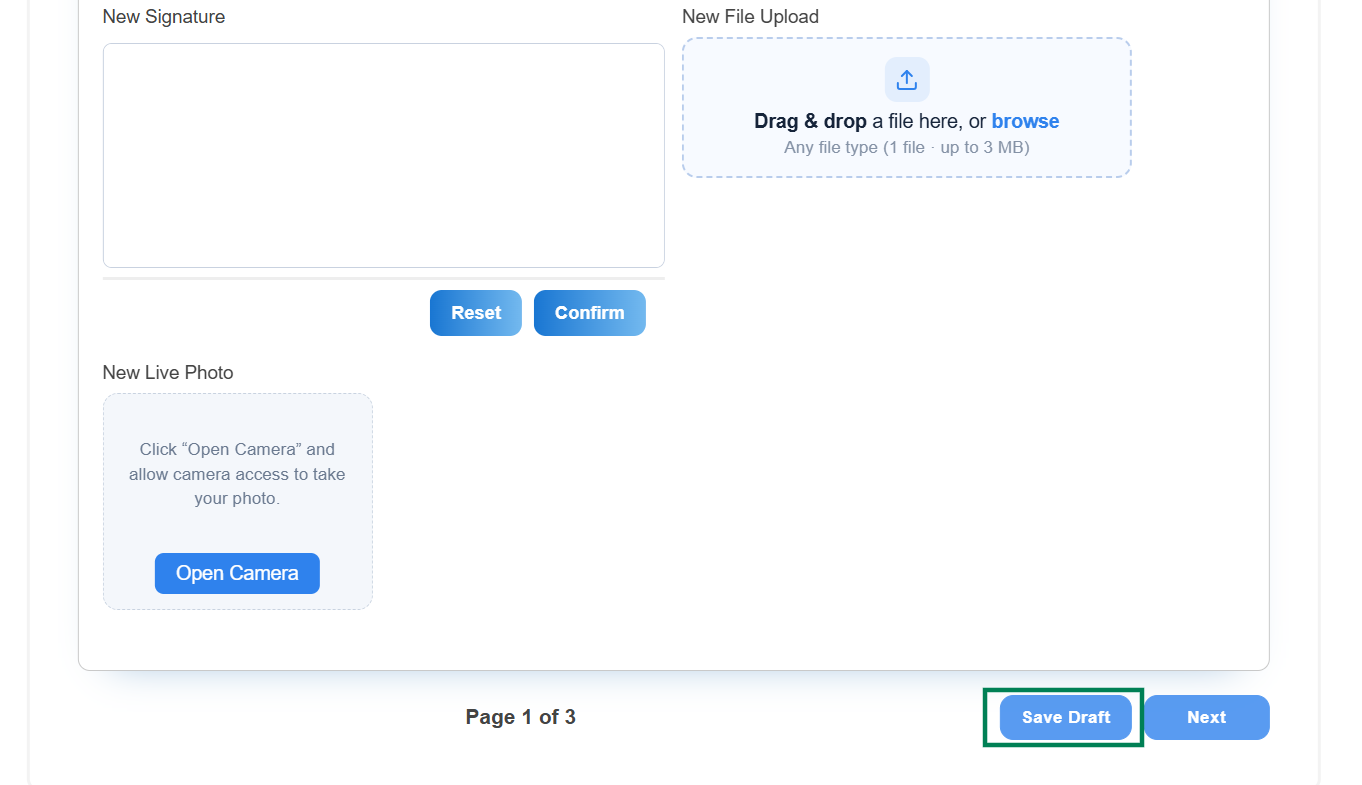
Once the form is published, respondents can use the available draft-saving option to save their progress and return to complete the form later.
What Your Respondents See
Respondents will see an option to save their progress while filling out the form. This allows them to leave the form and return later to finish it, rather than completing the entire form in one session.
Important Notes
Best for long forms: Draft Saving is especially useful for lengthy forms or forms that require respondents to provide detailed information.
Enable Pagination: For multi-page forms, turn on Pagination in the Form Builder to display progress as respondents move through the form.
Republish after changes: If your form is already published, republish it after enabling Draft Saving to apply the updated settings to the live form.
Was this article helpful?
That’s Great!
Thank you for your feedback
Sorry! We couldn't be helpful
Thank you for your feedback
Feedback sent
We appreciate your effort and will try to fix the article