Overview:
The latest release of Forms Made Easy, v1.23, introduces new features and improvements designed to streamline the user experience.
This version includes Live Photo capture, an upgraded AI Form Assistant, and security updates aligned with the Salesforce Winter ’27 release. It also brings improvements to form creation, customization, data management, and sharing.
Let’s take a closer look at what this update brings to Forms Made Easy.
Features: What's New?
Live Photo Capture -
The new Live Photo field allows users to capture respondents’ photos directly through their device cameras. It includes a face guide, date and time stamp, and a retake option, making photo collection easier within forms.
Upgraded AI Form Assistant -
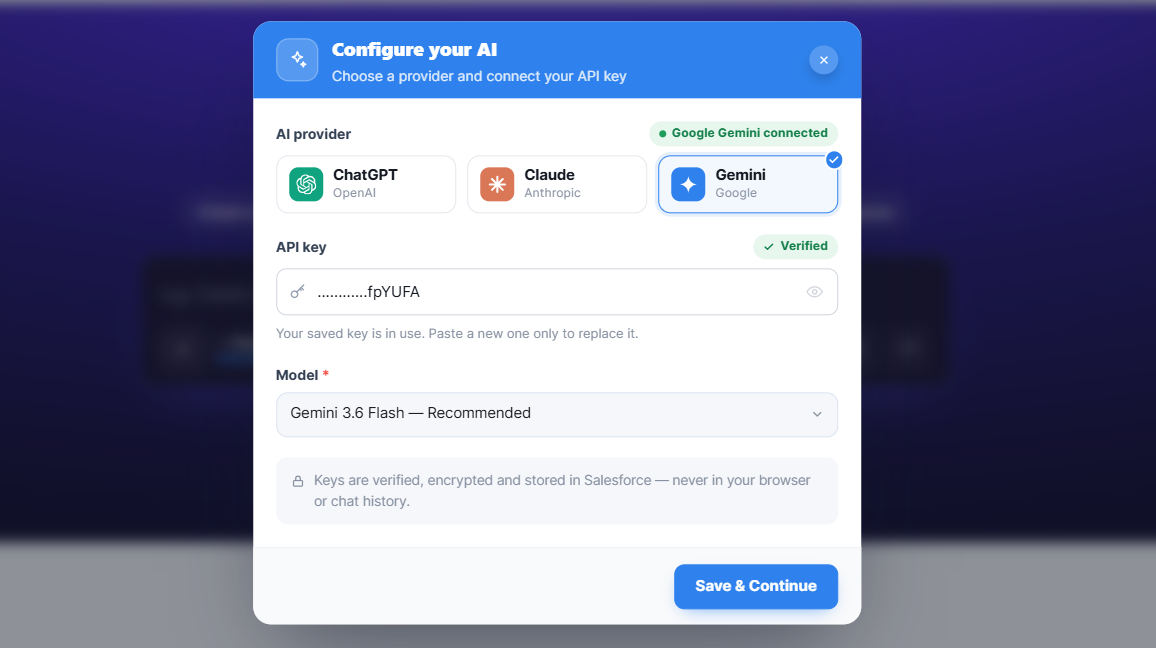
The AI Form Assistant now supports file attachments and voice input, giving users more flexibility when creating and refining forms. Users can configure AI providers such as Google Gemini, Anthropic Claude, and OpenAI ChatGPT by connecting their API keys.
Home Dashboard -
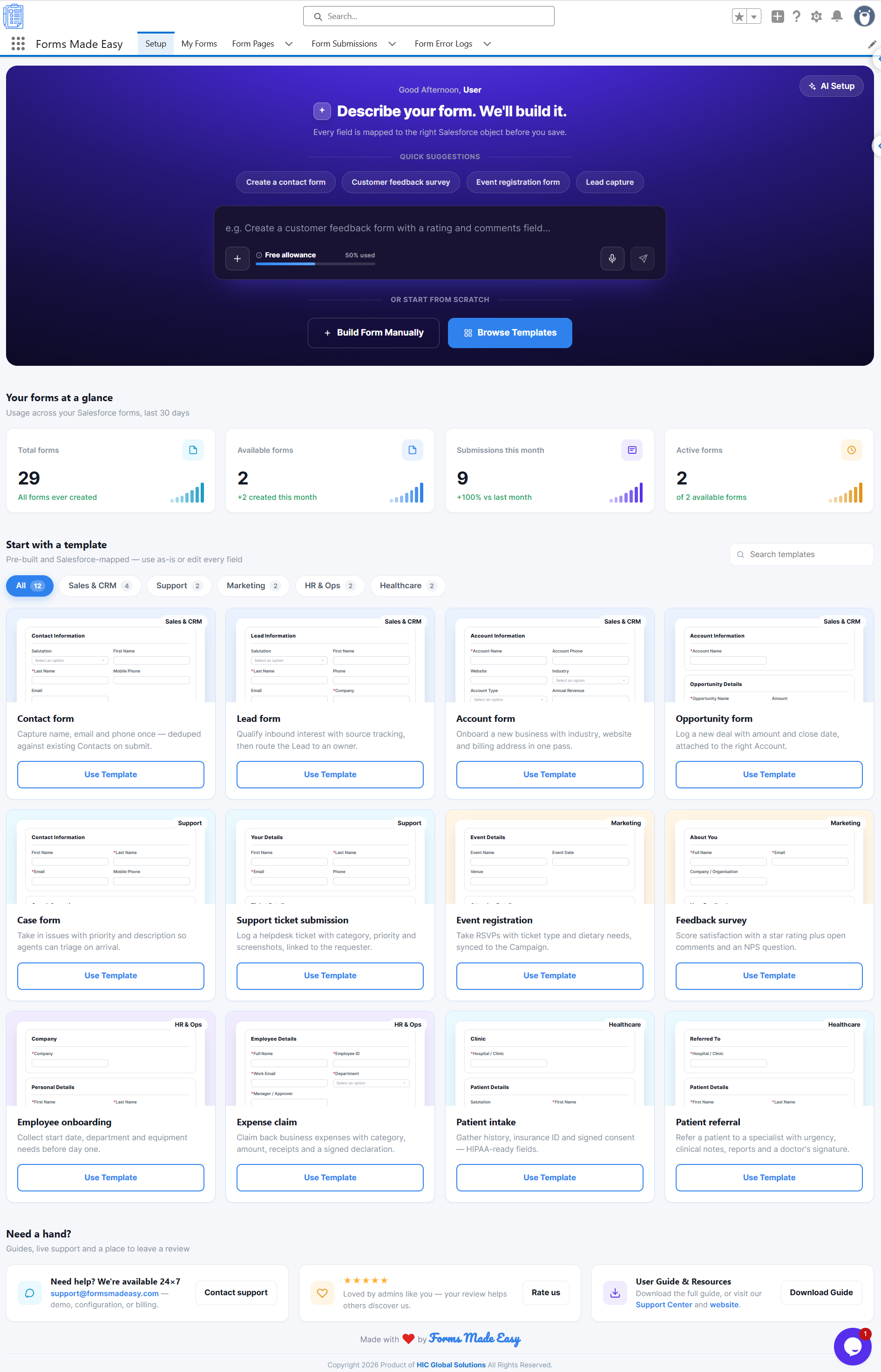
The Home Dashboard provides a centralized view of total forms, active forms, and submissions. Users can also start creating a new form from one place.
Form Builder and Pre-Built Templates -
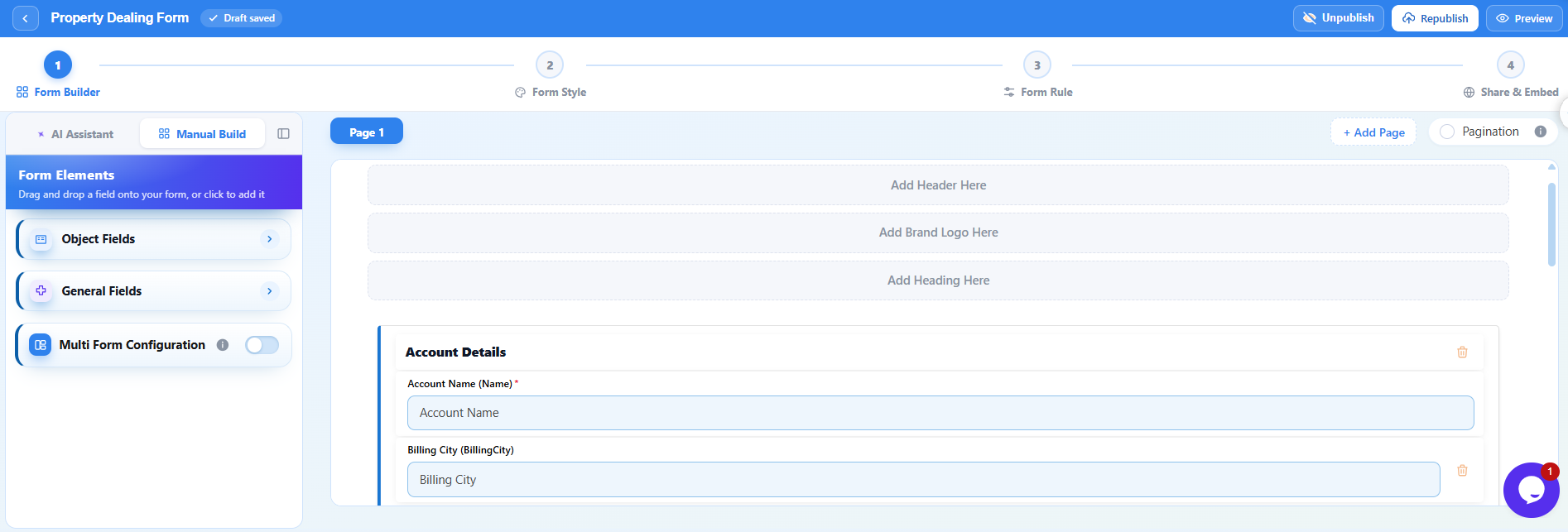
Users can build forms visually using drag-and-drop fields, sections, and pages. Pre-built templates for sales, support, marketing, HR, and healthcare provide a starting point for different business requirements.
Salesforce Object Forms -
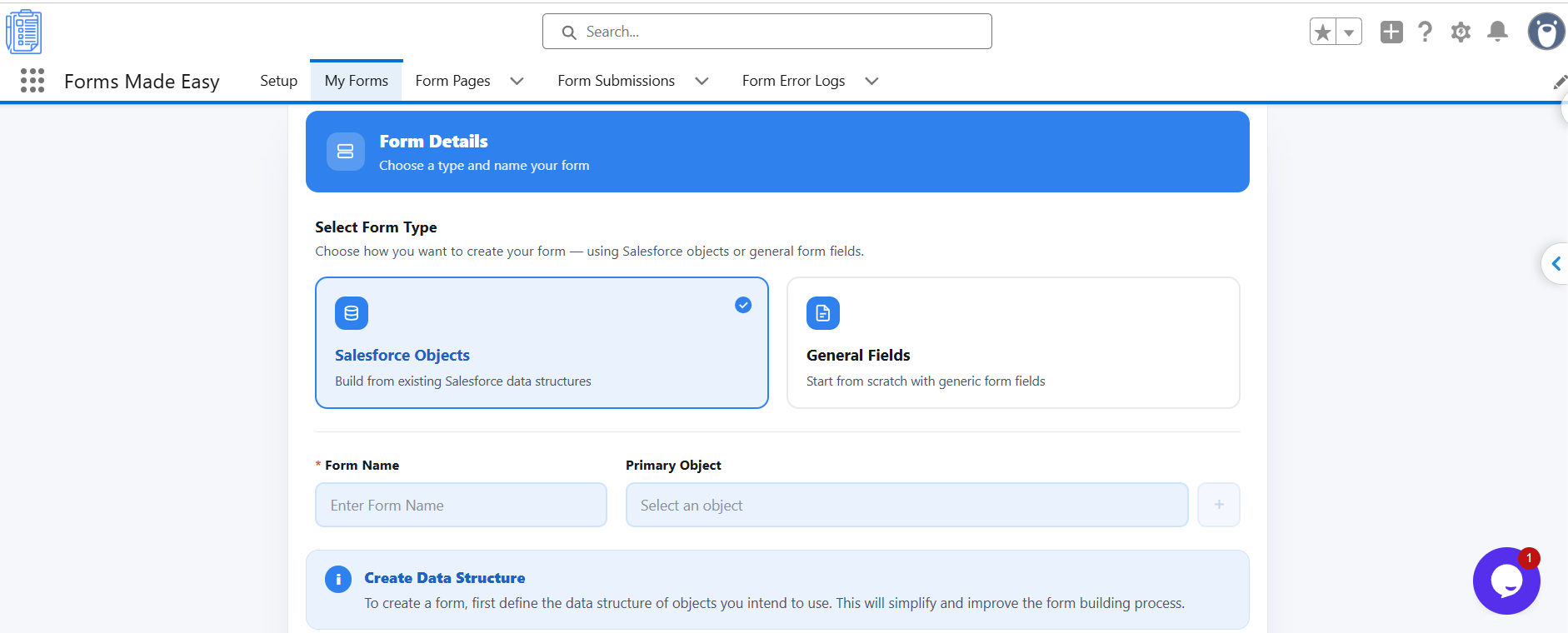
Users can create and update records on Salesforce objects, including related child records. General Fields Forms are also available for creating forms that are not tied to a specific Salesforce object.
AI Form Builder -
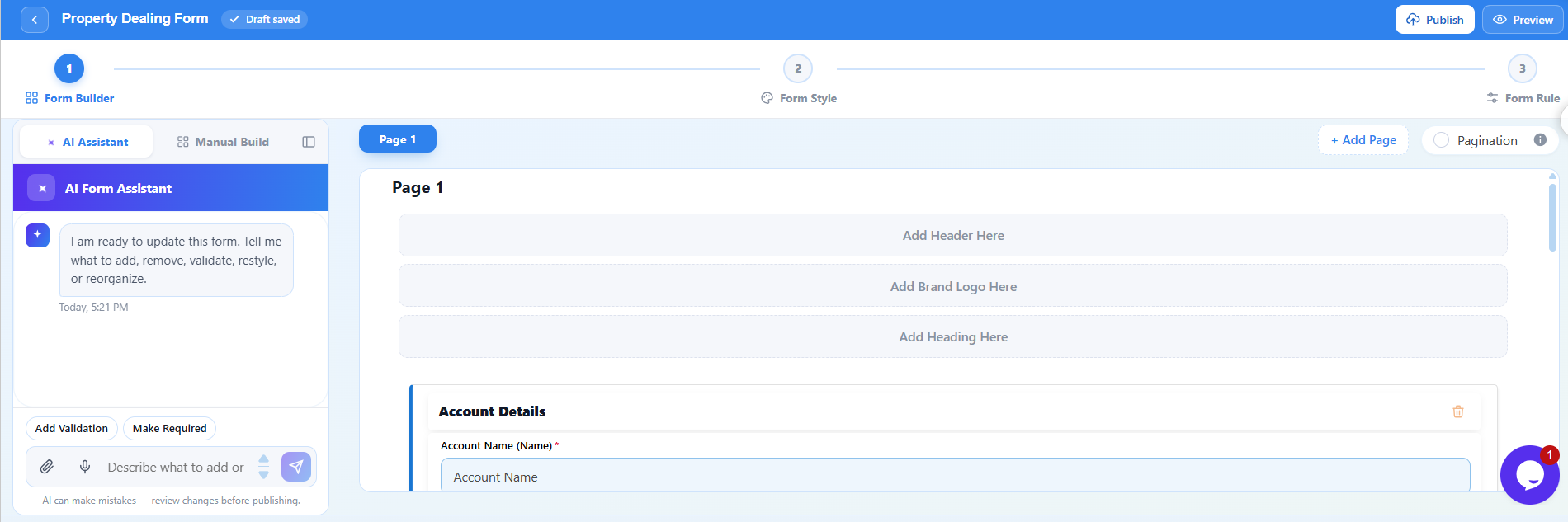
The AI Form Builder allows users to describe a form in plain language and generate a complete template. Users can also configure their preferred AI provider to create forms.
Field Types and Content Elements -
Forms Made Easy supports multiple field types and content elements to meet different form requirements.
- Signature: Collect electronic signatures.
- File Upload: Collect documents and images with submissions.
- Rating: Add star ratings with a configurable number of stars.
- Content Elements: Add rich text, images, videos, display text, and terms and conditions.
Logic and Data Management -
Users can configure form rules to show, hide, require, populate, or lock fields based on user input. The Formula Editor helps build Salesforce formulas using fields, operators, and functions. Custom field mappings also support automatic synchronization between general form fields and Salesforce object fields.
Multi-Form Support -
Users can connect multiple forms into a single workflow, with support for a combined PDF and signature image.
Stripe Payments and Payment History -
Forms Made Easy supports Stripe payments, allowing users to collect payments and link them to form submissions. Payment History displays receipts, amounts, statuses, and Stripe references on the associated record.
Publishing and Sharing Options -
Users can customize thank-you pages, enable Smart Upsert, prevent multiple submissions, save drafts, and attach PDFs. Additional publishing and sharing options include:
- Trackable Links: Generate unique, one-time links with expiry dates and countdowns.
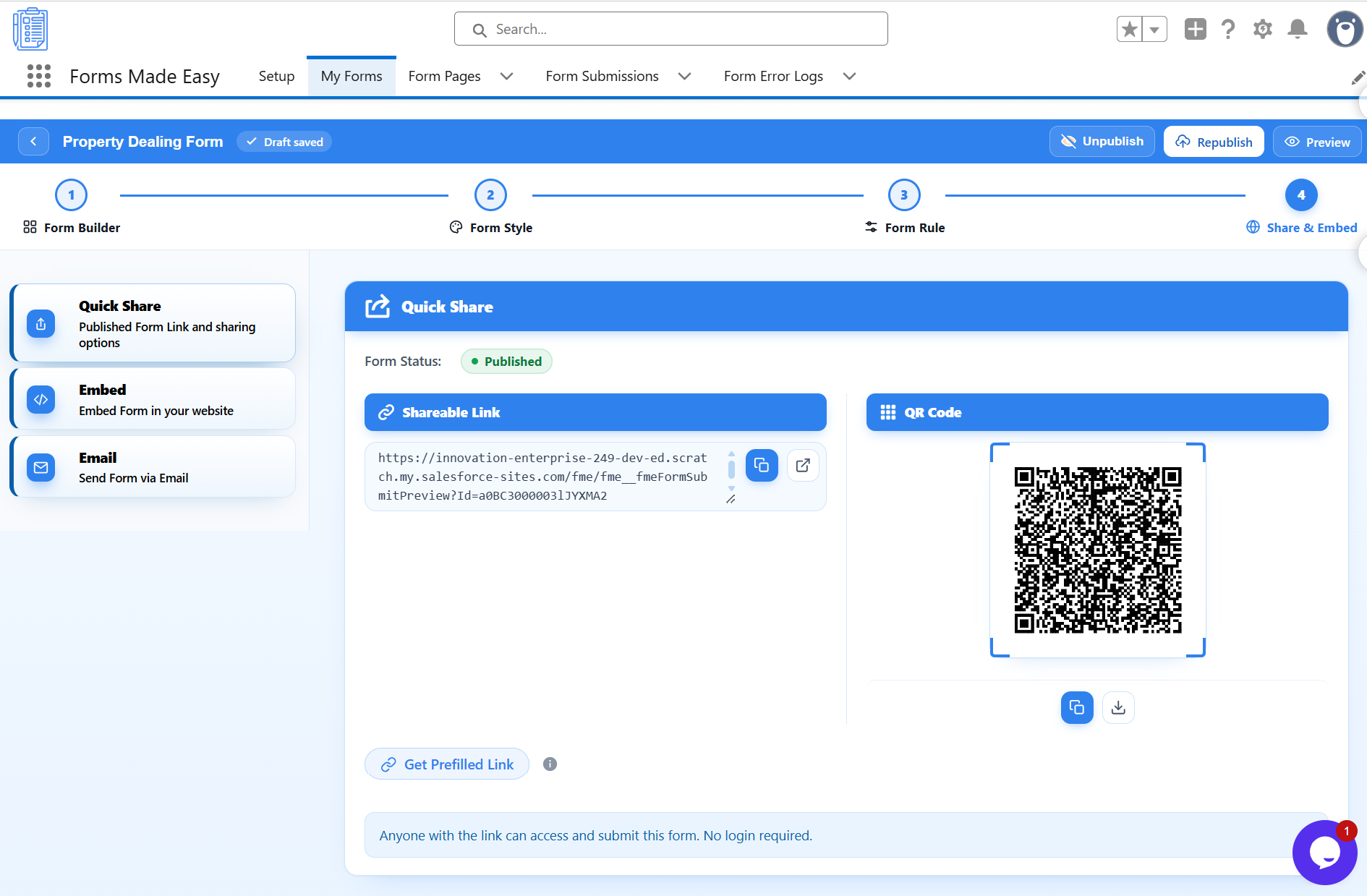
- Quick Share and QR Codes: Share forms through links or QR codes and generate prefilled links from records.
- Form Embedding: Add forms to websites using Embed JS, iframe, or source code.
- Email Deliverability: Send forms to records or list views using email merge fields and prefilled values.
- Send Form from a Record: Send a form directly from a Salesforce record.
Submissions and Tracking -
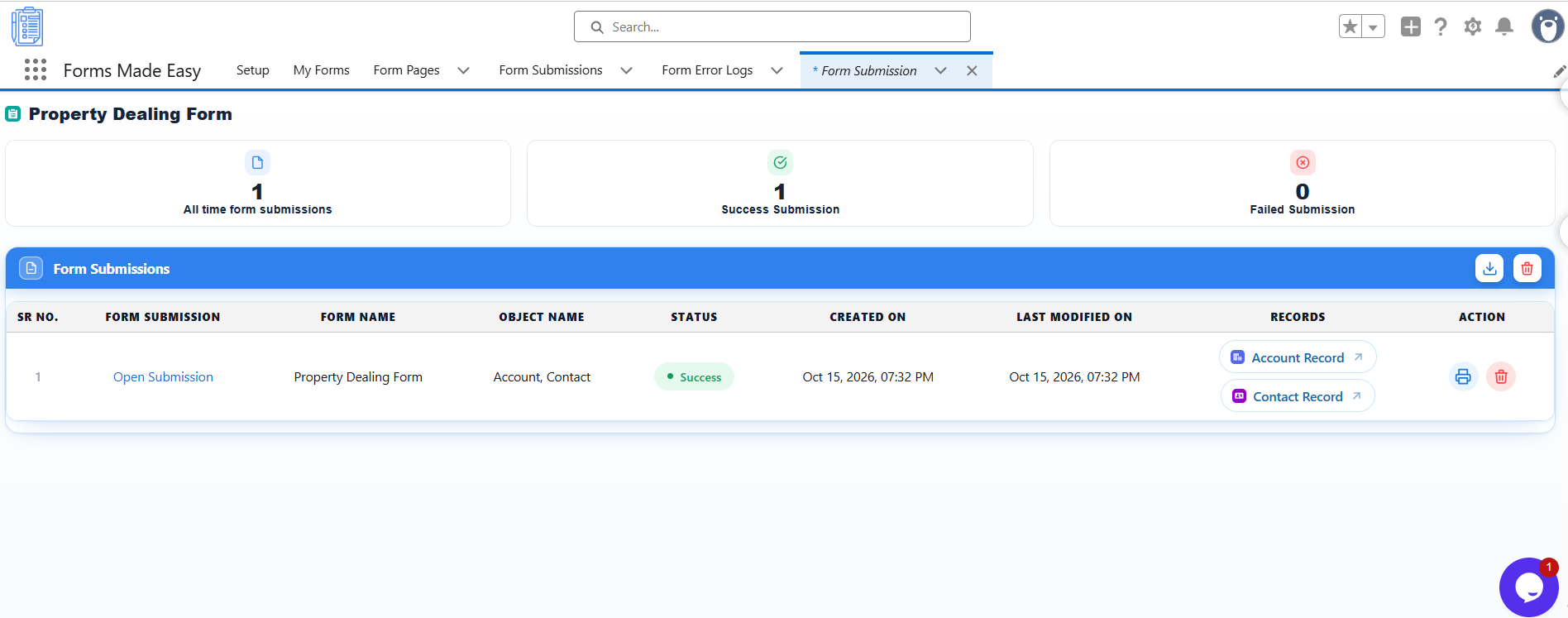
Users can monitor form visits, successful submissions, and failures, as well as export submission data to CSV. They can generate submission PDFs and use the Form Error Log to review failed submissions, including error details, form information, and submitter data. Google reCAPTCHA v3 helps protect public forms against spam and bots.
Enhancements
Enhanced UI -
- Refreshed Form Builder: A cleaner drag-and-drop builder with resizable panels and a collapsible AI assistant.
- Consistent Theme: A new blue theme with redesigned dropdowns and hover tooltips across the app.
- Guided Experience: The Take a Tour feature, setup stepper, and information tips explain each setting where needed.
- Live Preview: Preview the form, including pagination, before publishing.
- Form Style: Customize fonts, colors, headers, footers, and logos, with background images and theme templates.
Security Compliance -
- Salesforce Release Alignment: Updated and verified against the Salesforce Winter ’27 security requirements.
- Secure AI Credentials: AI provider API keys are encrypted and never shown in the UI or stored in chat history.
- Secure Authentication: Salesforce org connections use OAuth with PKCE.
- Data Access Control: Access is controlled through the FME Admin Permission and FME Guest Access permission sets.
- Spam Protection: Google reCAPTCHA v3 protects public forms from bots.
- Payment Security: Payments are processed by Stripe, so card details never reach your Salesforce org.
Need help? Contact us at support@formsmadeasy.com.
Was this article helpful?
That’s Great!
Thank you for your feedback
Sorry! We couldn't be helpful
Thank you for your feedback
Feedback sent
We appreciate your effort and will try to fix the article