In this blog, we will see how to delete single and Bulk form submissions.
Steps to Delete Single And Bulk Form submissions:
Step 1: Go to the My Forms tab and click on the "Submission" of required Form.
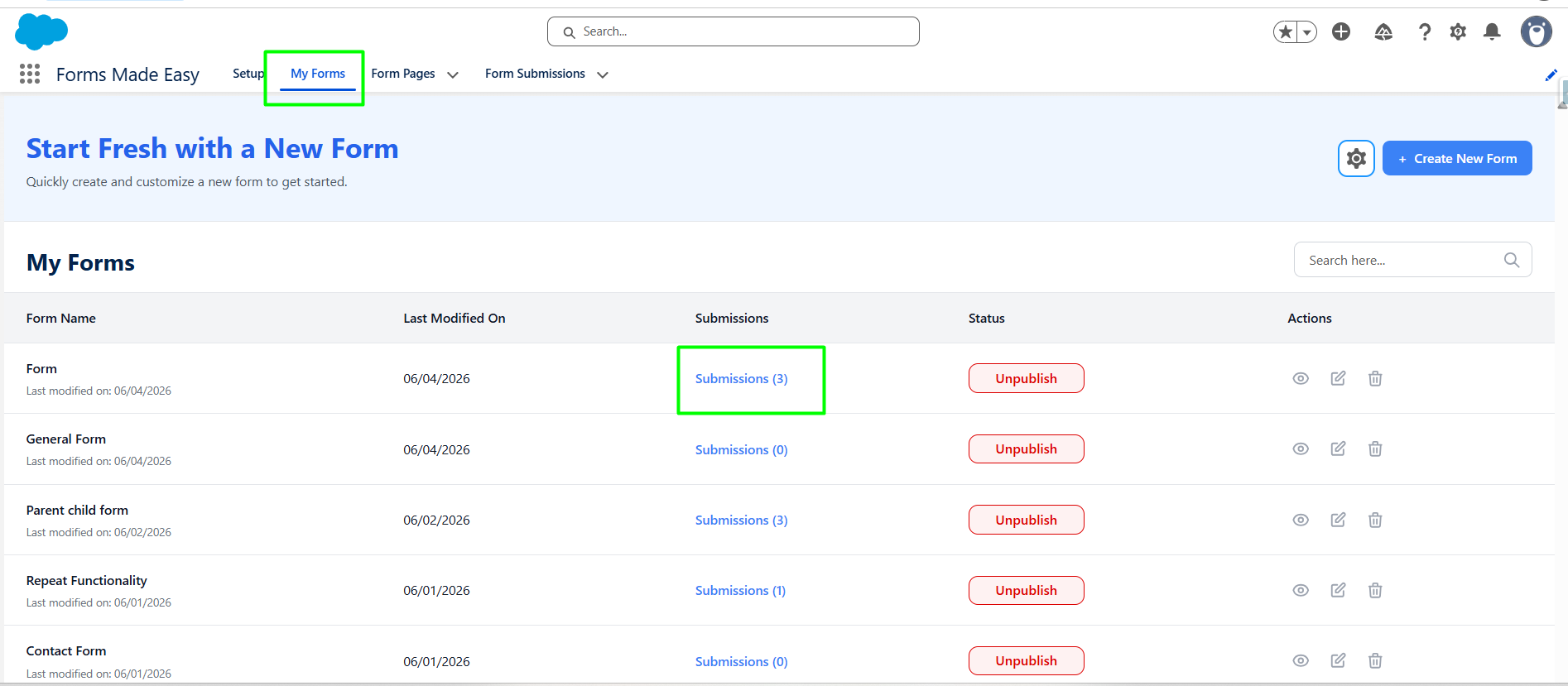
Step 2: Locate the specific Submission record for single delete and Click on Delete option for that record.
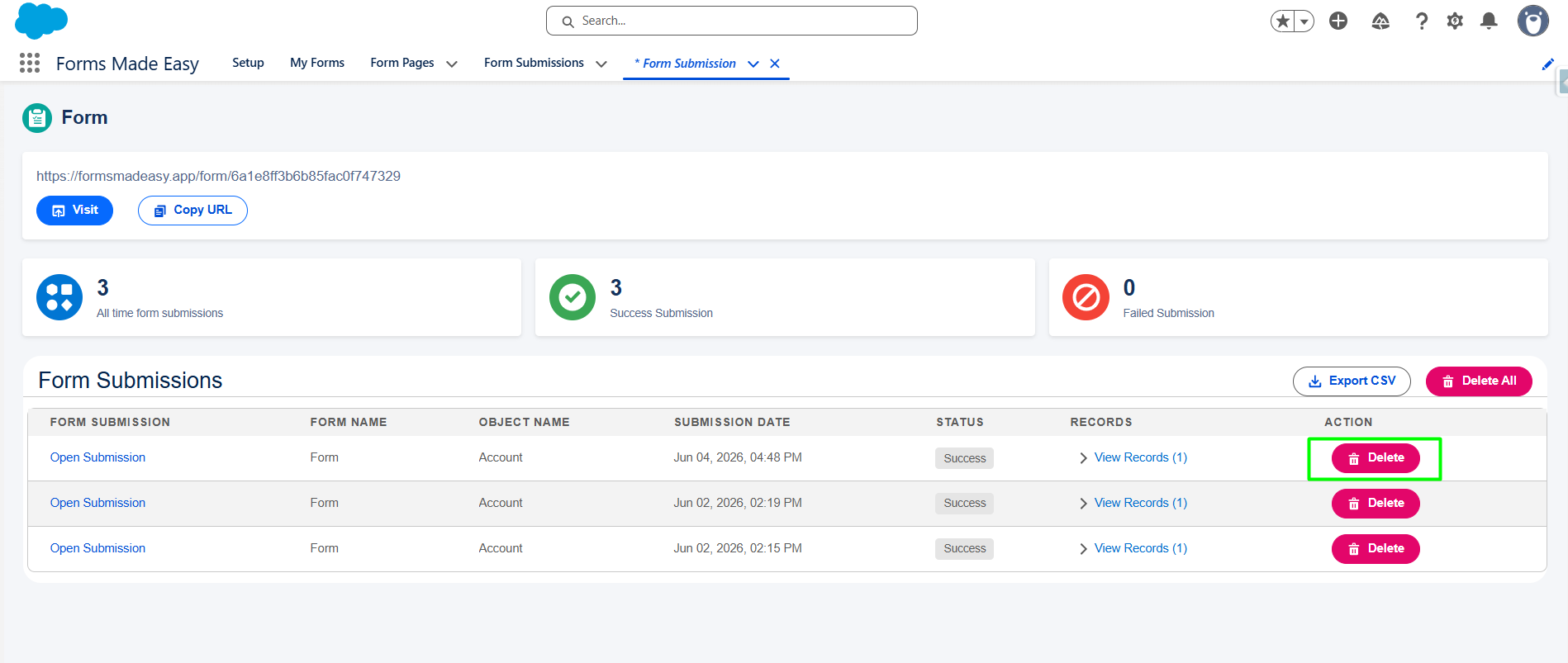
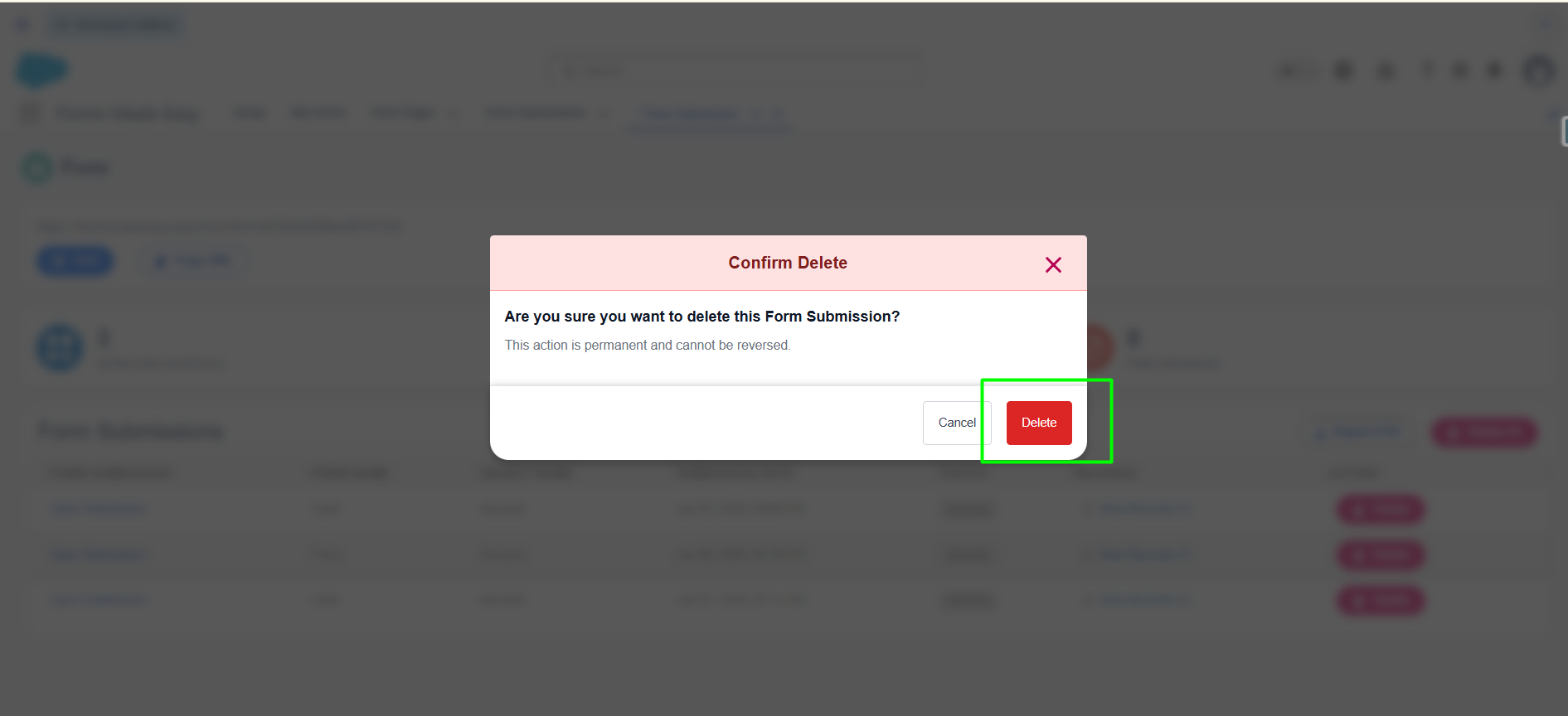
Step 3: Confirm the deletion by clicking on “Delete” Button.
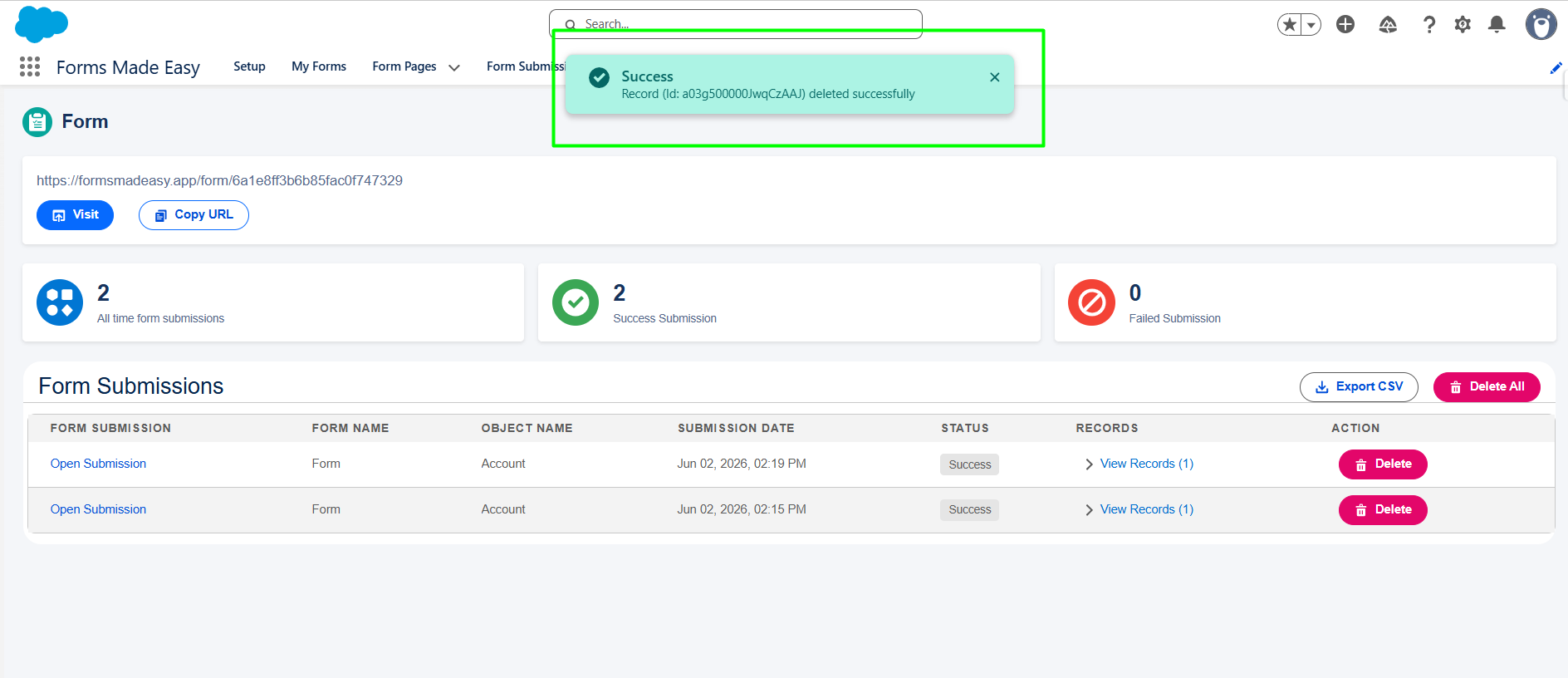
Step 4: Selected submission is deleted successfully.
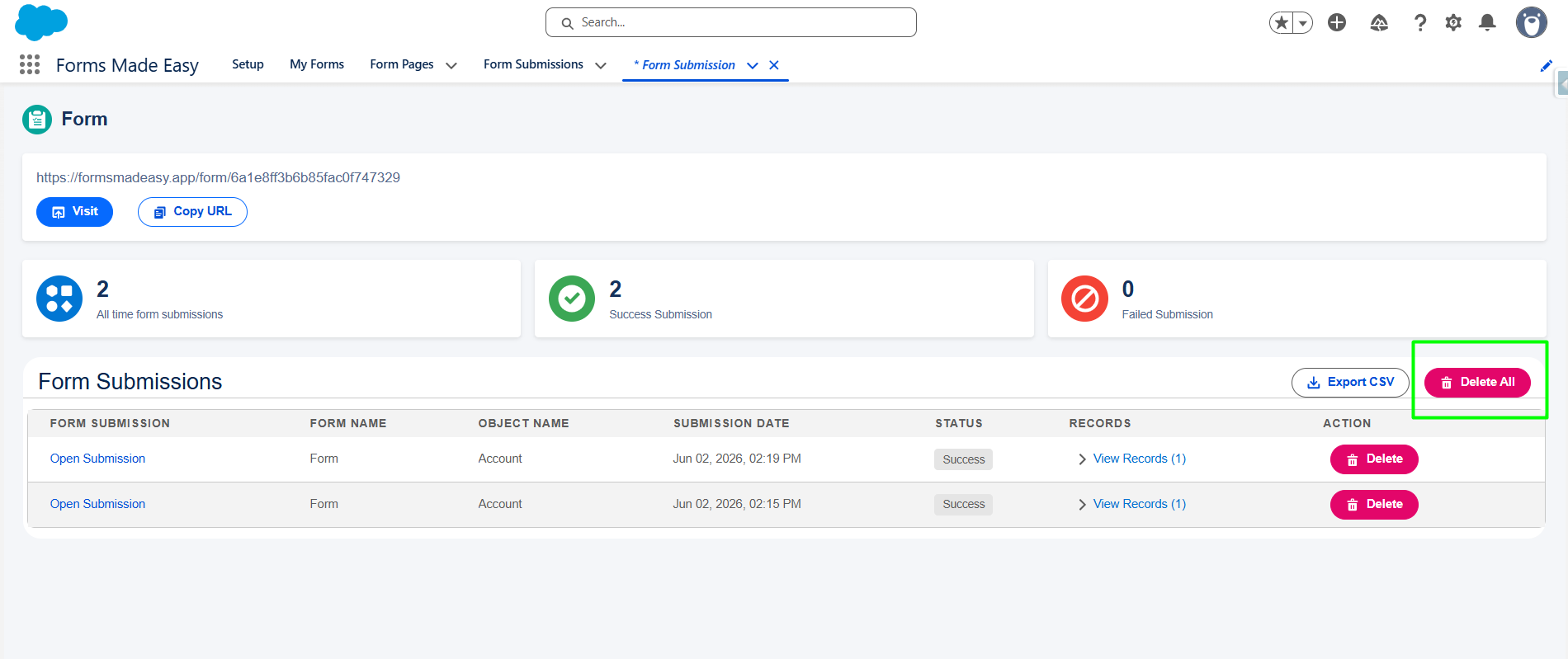
Step 5: For bulk Delete submission Click on “Delete All”.
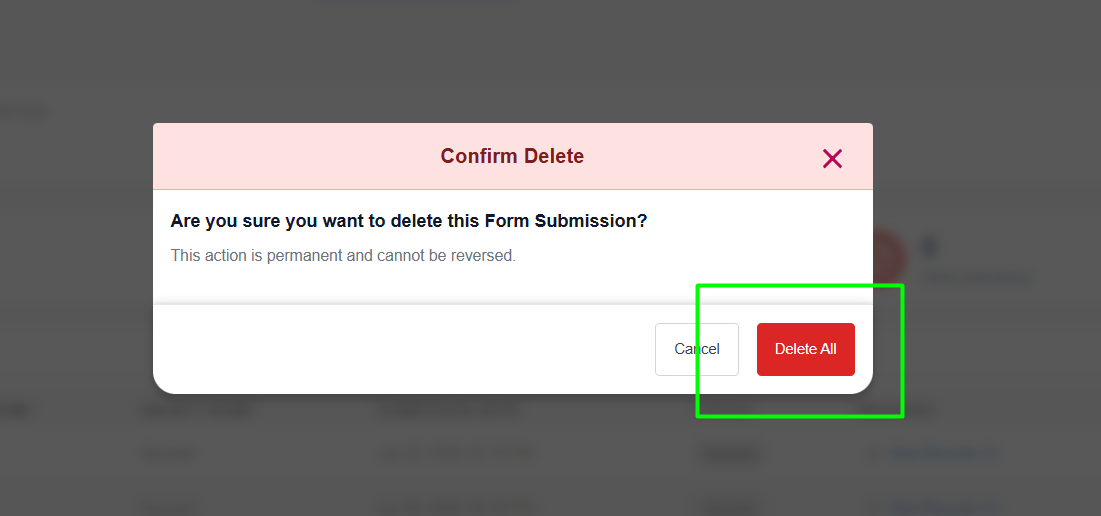
Step 6: Confirm the deletion By clicking on the “Delete All” button.
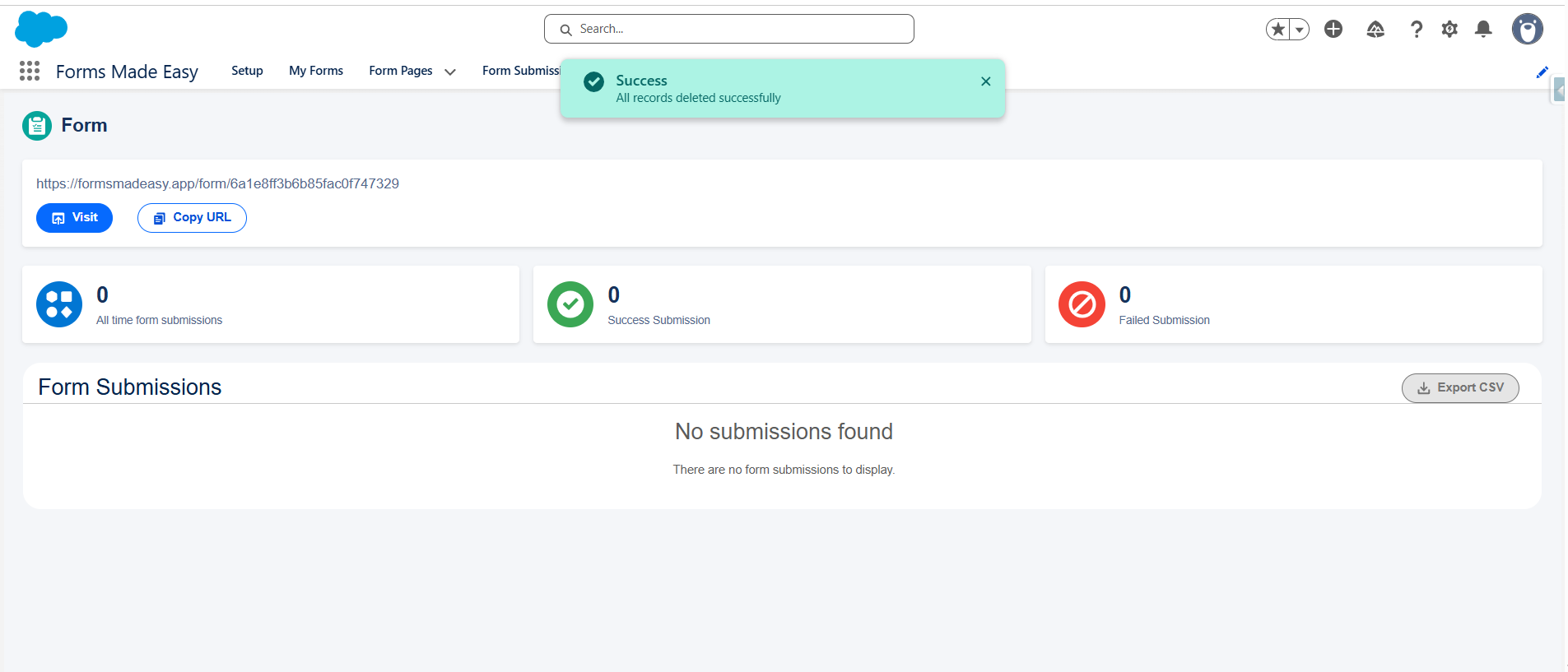
Step 7: A success message is displayed on the screen. Submission list is refreshed.
Note: “No Submissions Found” is displayed.
Was this article helpful?
That’s Great!
Thank you for your feedback
Sorry! We couldn't be helpful
Thank you for your feedback
Feedback sent
We appreciate your effort and will try to fix the article