If you are opening “Forms Made Easy” for the first time, the first thing you will see is the Tour Guide. This tour guide provides guidance on how to start using Forms Made Easy and helps you understand the basic features.
Steps for take a tour :
Step 1: First, you need to Connect your Salesforce org with the Forms Made Easy server. For this, you will see an information box, and without connecting the org, you cannot proceed further in the application.
If you do not want to view the information or tour guidance, you can close it by clicking on the “Skip Tour” button.
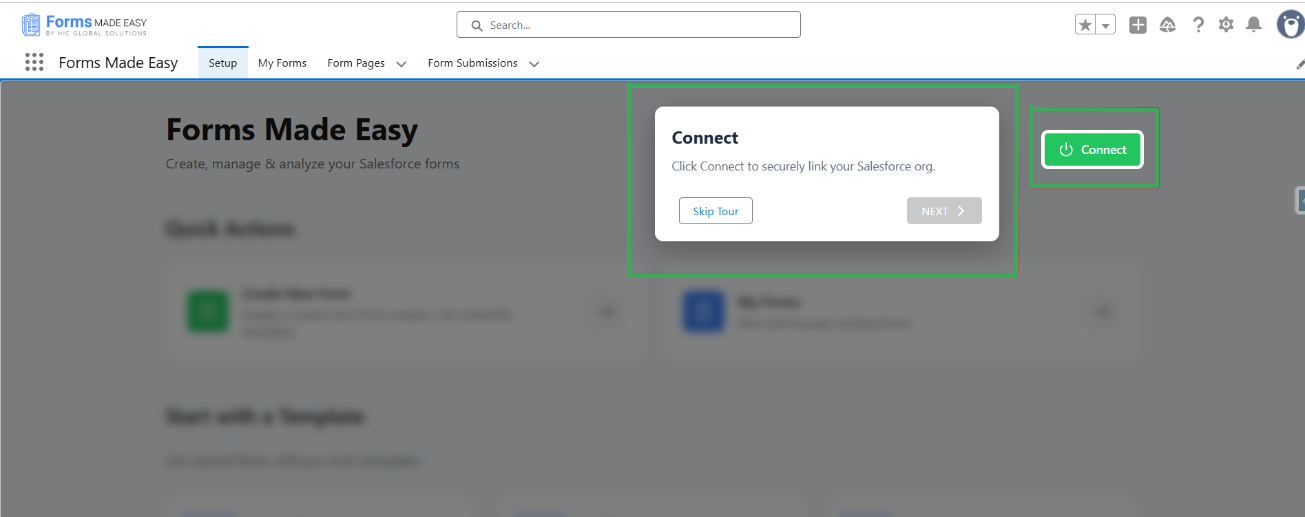
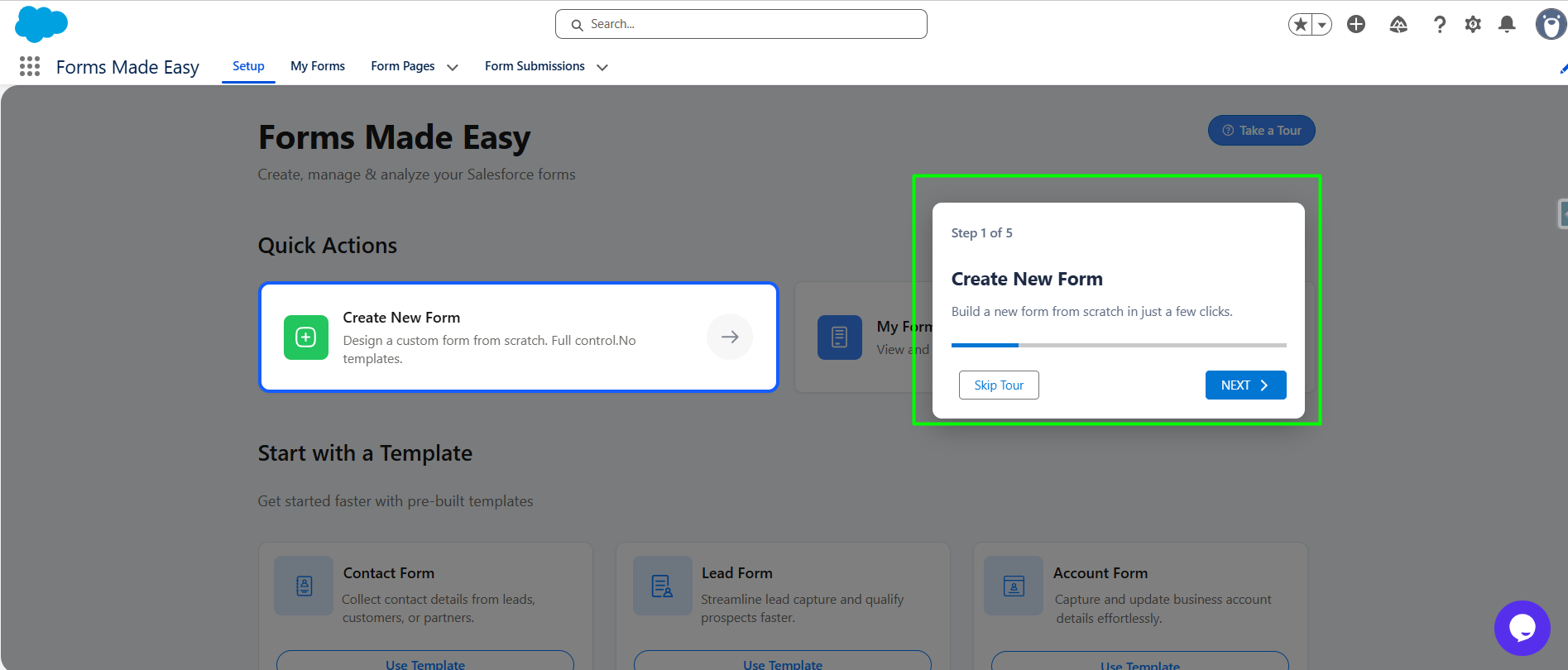
Step 2: Once the connection is successful, the tour guide will explain the purpose of Next step which is "Create new form" It will provide guidance on the use case of this feature. After that, you can click on Next to continue or Skip Tour to close the guide.
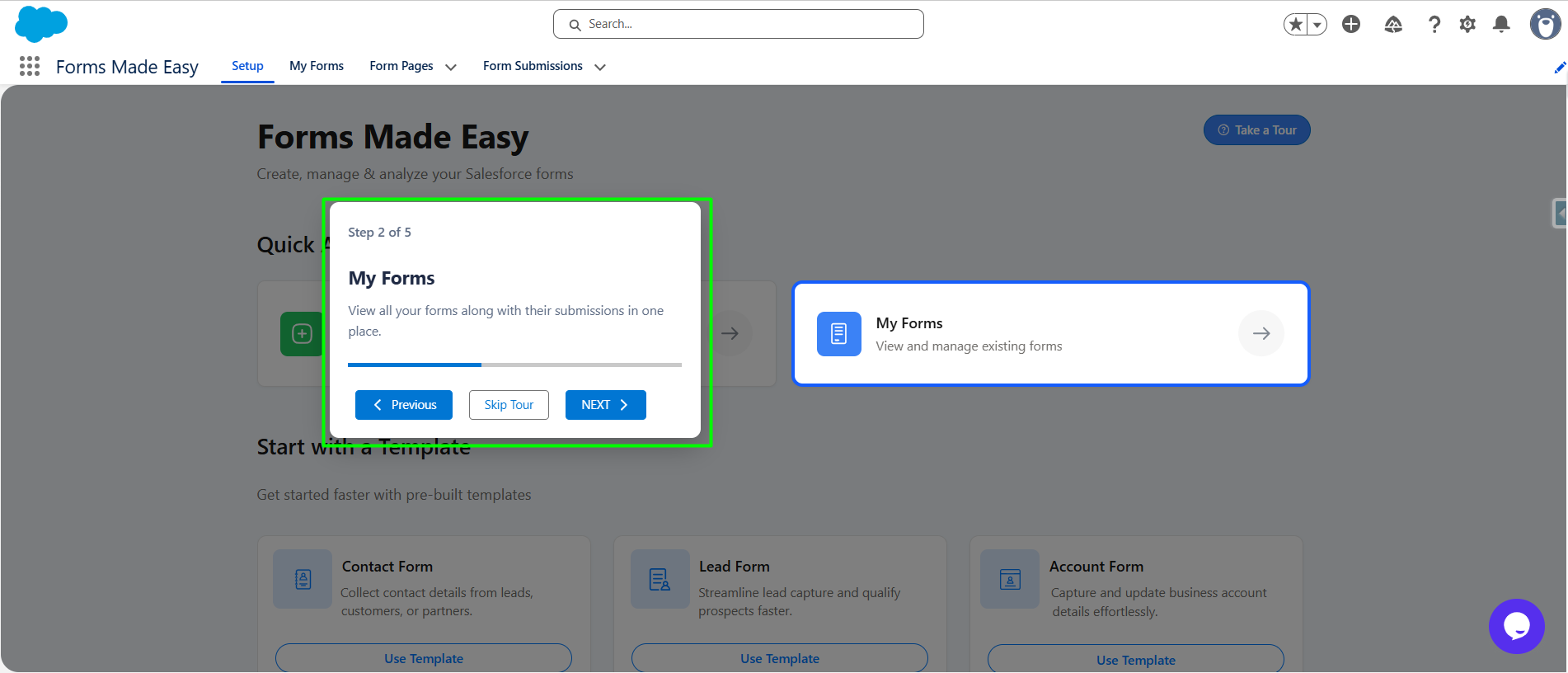
Step 3: When you click on the "Next" button, the tour guide will explain the Next step which is "My Forms" section and its purpose. From this step, you can move to the next step or return to the previous step as well.
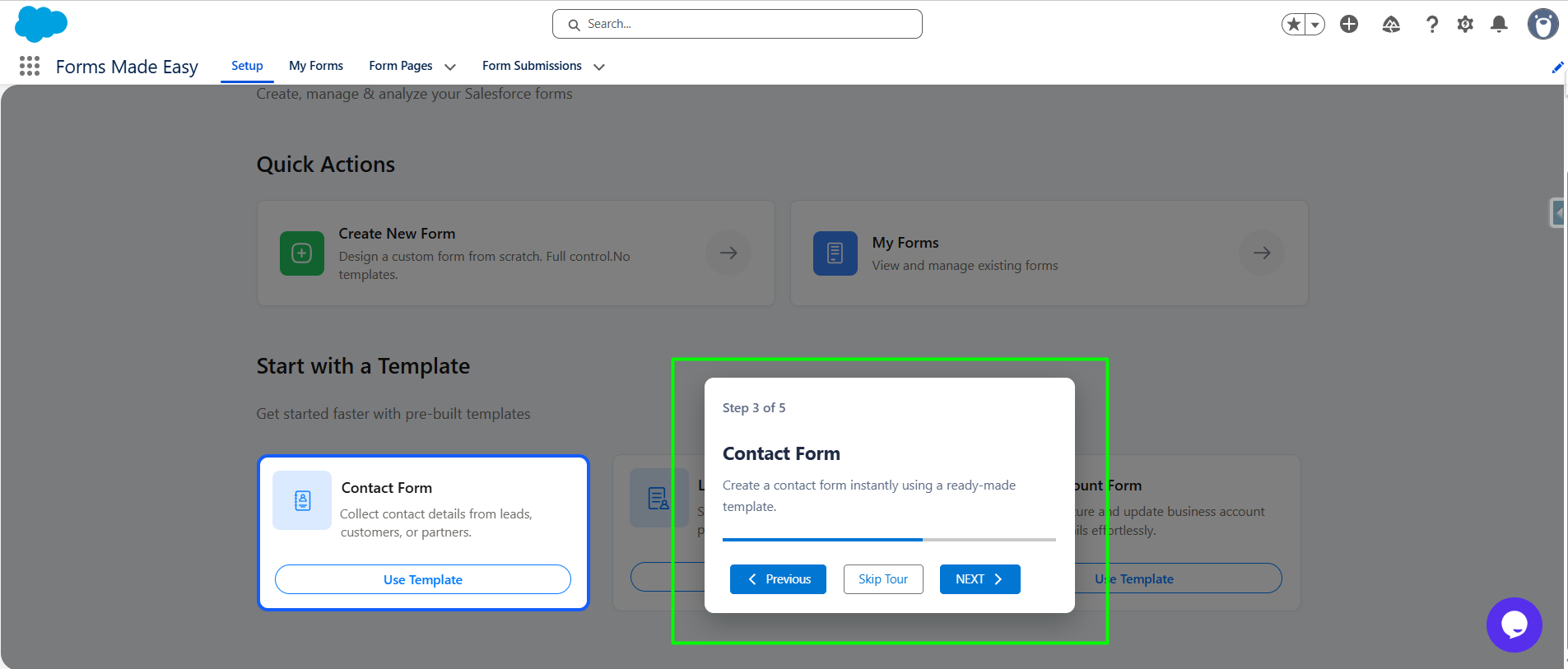
Step 4: Moving forward, the tour guide will explain the pre-built template, which is based on the "Contact" object. After that, you can proceed to the "Next" step.
Step 5: Now, here is another pre-built template, which is based on the "Lead" object form.
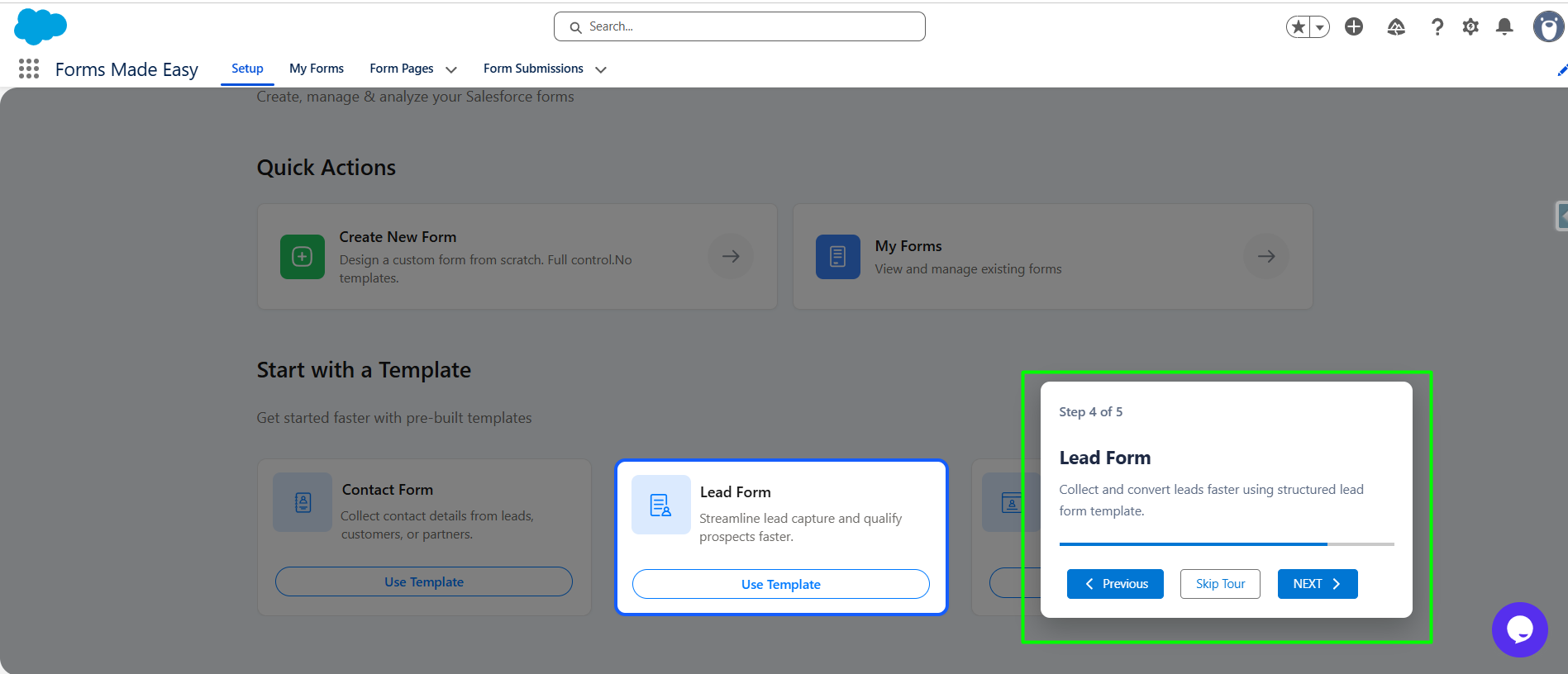
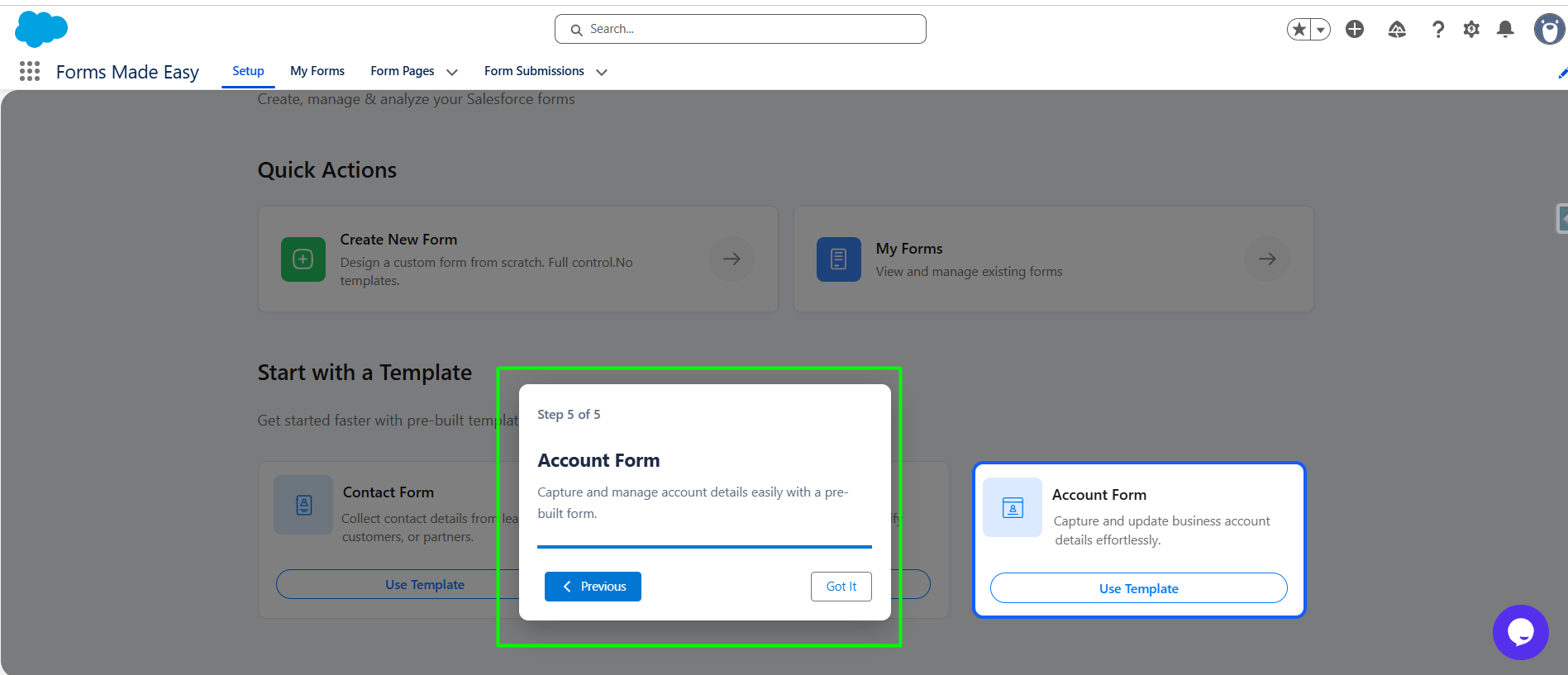
Step 6: Now, the last but not least is our 3rd pre-build templates based on the Account object. At this step, the tour guide is completed. You can either go back to the previous step or end the tour by clicking on the “Got It” button.
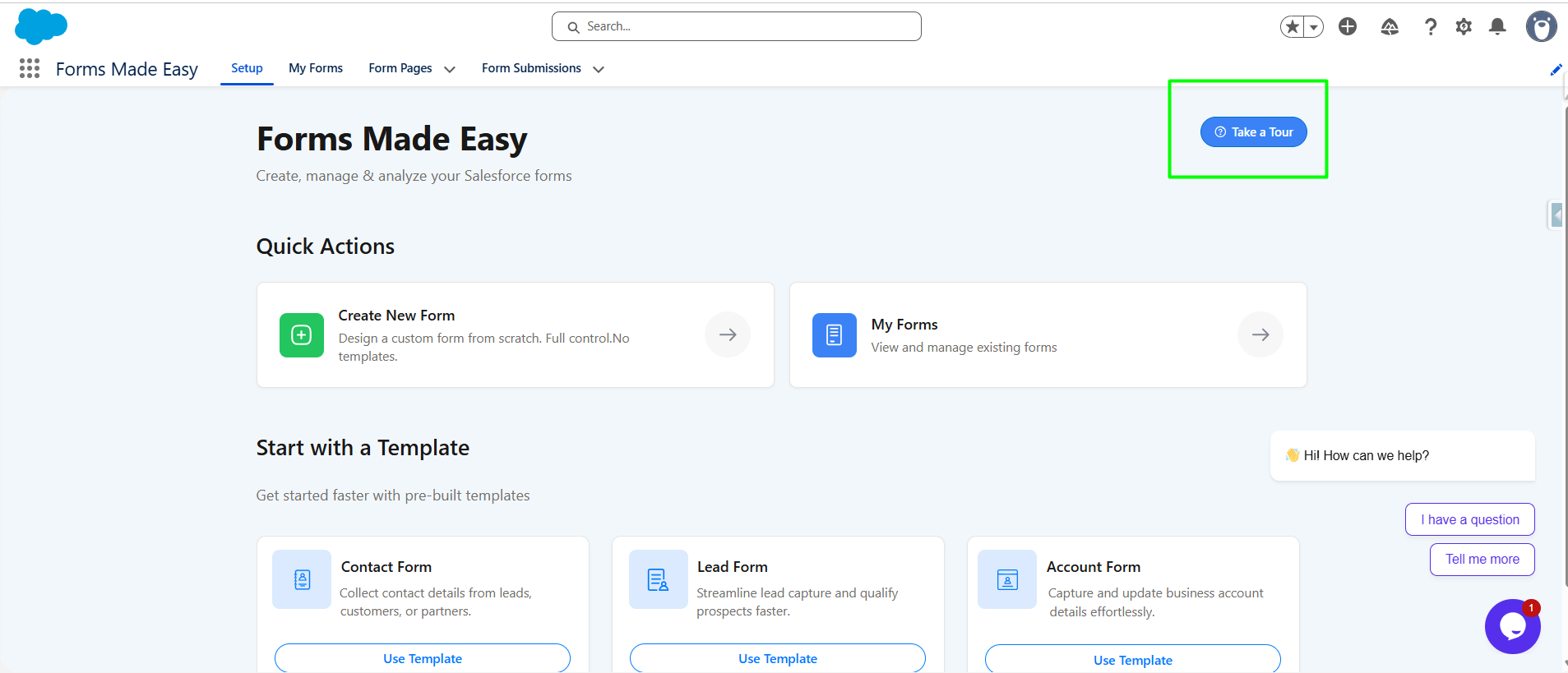
Step 7: If you accidentally skip the tour, there is a “Take a Tour” button available on the Setup tab page. By clicking on it, the tour guide will start again, and you can view the guidance anytime.
Was this article helpful?
That’s Great!
Thank you for your feedback
Sorry! We couldn't be helpful
Thank you for your feedback
Feedback sent
We appreciate your effort and will try to fix the article